
Why Podcasters Outgrow Free Cloud Audiogram Plans
A healthy weekly podcast needs 3 to 5 short vertical highlight clips per episode to grow organically across Reels, TikTok, Shorts, and LinkedIn. Yet nearly every cloud audiogram platform caps its free tier far below that weekly volume:
- Headliner Free: Caps you at 1 unwatermarked video per month — every clip after the first stamps a Headliner outro/watermark unless you upgrade.
- Wavve: Free tier limits export duration and branding, pushing active shows to paid monthly subscriptions.
- VEED / Kapwing: Watermarks free exports and requires uploading large WAV interview recordings to remote servers.
Comparing the Top Headliner Alternatives in 2026
| Podcast Audiogram Tool | Free Watermark-Free Clips | SRT Caption Support | Export Speed | Upload Required? |
|---|---|---|---|---|
| Audio Visualizer Online | Unlimited (1080p MP4) | Yes (.SRT & .LRC import + Tap-Sync) | 4–10× offline WebCodecs | No (100% local in browser) |
| Headliner (Free Plan) | 1 clean clip / month | Yes (capped minutes) | Cloud render queue | Yes |
| Riverside Clips | Included in podcast host | Auto AI captions | Cloud render | Yes (host ecosystem) |
| Descript (Free) | Limited export hours / watermark on some features | Word-level transcript | Desktop/cloud | Yes |
| CapCut + Transparent Overlay | Free core (Pro effects gated) | Auto-captions Pro-gated in many regions | Local app | Partial cloud |
The Zero-Cost 3-Step Weekly Podcast Clip Pipeline
You do not need a $20/month subscription to ship studio-clean audiograms every week. Here is the exact workflow indie producers run in under 5 minutes per clip:
- Trim Your 30–60s Highlight & Generate a Free
.SRT:- Export your favorite 45-second Q&A clip as MP3 or WAV from Audacity, GarageBand, Reaper, or Riverside.
- Generate a clean timestamped
.srtfile using free local MacWhisper, open-source Whisper, or YouTube Studio's transcript download.
- Load Into Podcast Audiogram Maker:
- Drop your audio clip and square show artwork into the Audio tab (click Auto-Palette to pull your cover's accent color).
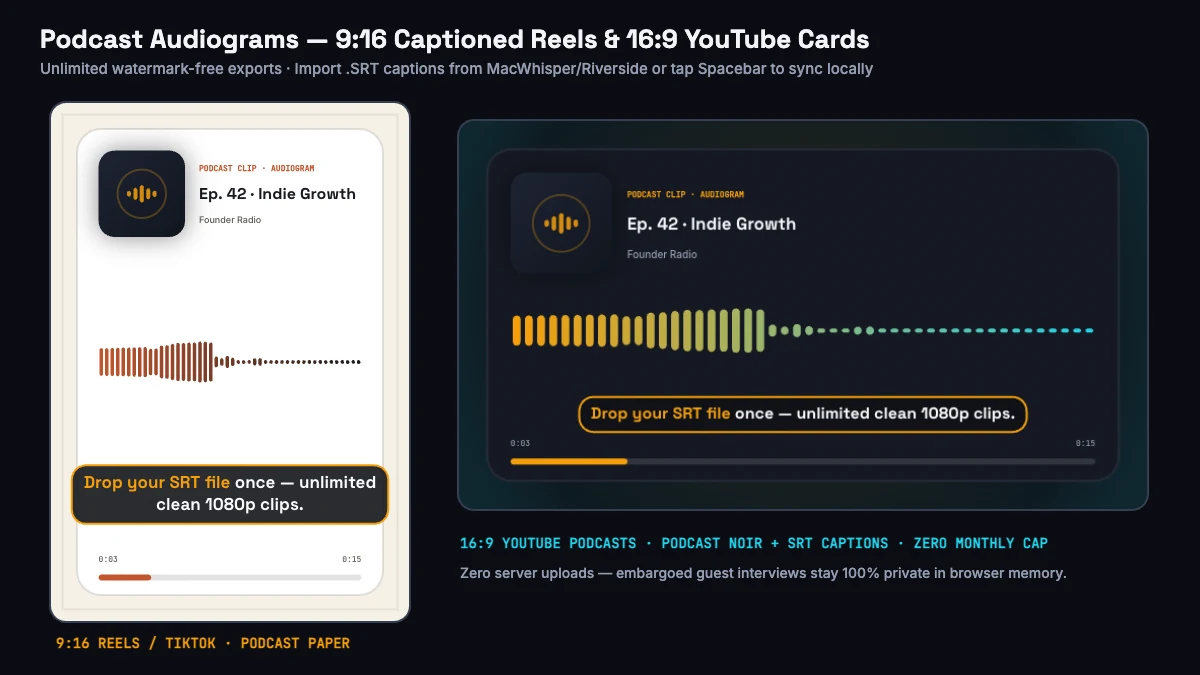
- Pick Podcast Paper (warm editorial cream card that stands out sharply in dark TikTok/LinkedIn feeds), Podcast Noir (slate broadcast dark), Player Pill, or Quote Clip.
- Switch to the Lyrics / Captions tab, upload your
.srt, and choose Podcast Box captions.
- Check Safe Zones & Bounce 1080p Locally:
- Click Safe Zones on the canvas bar to verify your show title, waveform, and caption box sit cleanly above TikTok and Reels bottom UI bars.
- Hit Export Free MP4 — a 60-second vertical 1080×1920 audiogram finishes locally in ~10–14 seconds with zero watermark.
Want to publish the entire full-length audio episode to YouTube Podcasts too? Switch to our 16:9 Podcast Visualizer preset for distraction-free widescreen playback.
Sources & Primary References
All podcast clip delivery dimensions, subtitle container specs, and YouTube Podcasts workflows in this guide reference primary documentation (verified November 2026):
- YouTube Help — Create a podcast in YouTube Studio (official playlist-based podcast publishing for YouTube and YouTube Music): https://support.google.com/youtube/answer/12751636?hl=en
- YouTube Help — Supported subtitle and closed caption files (UTF-8
.srtplain-text subtitle specs): https://support.google.com/youtube/answer/2734698?hl=en - Apple Podcasts for Creators — Audio requirements (official stereo/mono sample rate and AAC-in-MP4 delivery guidelines): https://podcasters.apple.com/support/893-audio-requirements
- Meta Business Ads Guide — Instagram Reels Video Specifications (
9:16Reels and1:1/4:5social feed video formatting): https://www.facebook.com/business/ads-guide/update/video/instagram-reels