
Why Musicians Use a Browser Music Visualizer for Every Release
Uploading a static album cover to YouTube rarely holds viewer attention, while shooting a full live-action music video costs thousands of dollars and weeks of editing. A clean music visualizer online bridges that gap: your cover art becomes a dynamic, beat-reactive sleeve video that ships on release day across YouTube, Shorts, TikTok, Instagram Reels, and Spotify Canvas.
Unlike heavy desktop plugins (After Effects Audio Spectrum, DaVinci Fusion) or node-based web editors that crash on full-length WAV masters, Audio Visualizer Online pairs curated record-sleeve aesthetics with hardware-accelerated local MP4 rendering.
4 Flagship Music Visualizer Looks Included Free
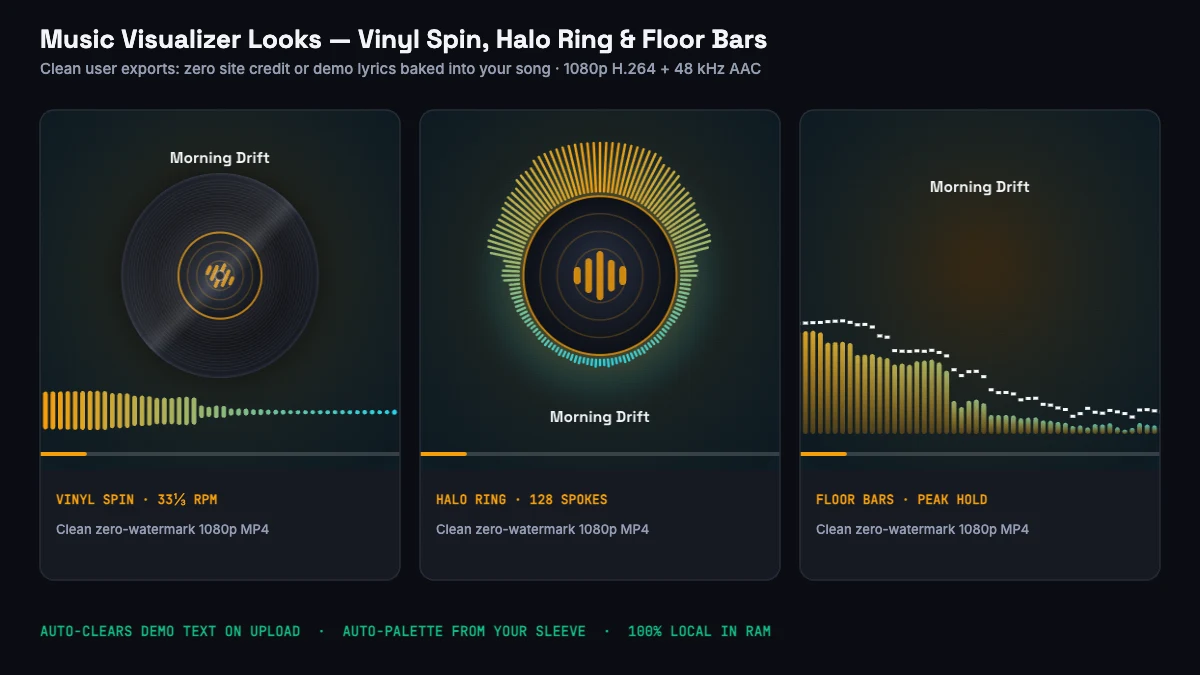
- Vinyl Spin (Default Above): Realistic 33⅓ RPM micro-groove vinyl disc with your album art as the center label, static overhead lamp specular sheen, and a synchronized lower frequency strip.
- Halo Ring: Symmetrical 128-spoke radial spectrum hugging circular cover art with a dedicated 40–140 Hz kick detector that gently pulses your artwork on every bass hit.
- Floor Bars: Full-bleed blurred album atmosphere with crisp track metadata and tall gradient spectrum towers anchored with mastering peak-hold caps.
- Cover Card: Editorial sleeve layout with breathing album art, progress timeline, and mirrored acoustic waveform — ideal for lo-fi mixes, synthwave, and acoustic releases.
Beatmaker & Release Workflow Checklist
| Release Channel | Recommended Ratio & Spec | Recommended Preset | Pro Tip Inside Studio |
|---|---|---|---|
| YouTube Full Track / Type Beat | 16:9 (1920×1080) |
Vinyl Spin / Halo Ring | Enable subtle Film Grain for analog sleeve warmth |
| TikTok / Shorts / IG Reels | 9:16 (1080×1920) |
Lyric Flow / Floor Bars | Toggle Safe Zones so bars stay above bottom captions |
| Spotify Canvas Loop | 9:16 Canvas 1080h (608×1080, 3–8s) |
Halo Ring / Floor Bars | Click Load Spotify Canvas Preset with 3–8s audio in desktop Chrome, Edge, or Brave for direct H.264 MP4 (clips under 3s trigger a warning; browsers without WebCodecs MP4 such as Firefox fall back to WebM, which must be converted to MP4 before uploading to Spotify for Artists; keep title/artist blank for text-free loops) |
| Instagram Carousel Teaser | 4:5 or 1:1 |
Cover Card | Set Clip Length to 30s or 60s directly on the scrub bar |
| Premiere / DaVinci / CapCut Edit | 16:9 Transparent or Green |
Alpha Ring / Alpha Bars | Export Transparent MOV (Premiere/DaVinci/AE) or Green Screen MP4 (CapCut) |
Need the exact Spotify Canvas pixel dimensions, 3–8 second duration rule, and mobile crop framing before uploading to Spotify for Artists? Read our Spotify Canvas Dimensions & Specs Guide, verify square sleeve pixels in our Album Cover Size Guide, learn How to Post Audio on Instagram, TikTok & Facebook, check 44.1 vs 48 kHz Audio Specs for YouTube & Spotify, or compare release formats in Visualizer vs Music Video.