
Why Instagram, TikTok & Facebook Block Raw Audio Files (and the Two Ways Around It)
Search "how to post audio on Instagram" or "how to upload audio to TikTok" and you will find two completely different creator goals mixed together:
- Goal A — Share an existing released song from the platform's licensed library: Use Instagram's in-app Audio / Music sticker (on Stories, Reels, or Feed photo carousels) or TikTok's Add Sound picker. No external converter is needed because Meta and TikTok already license those tracks through distributors.
- Goal B — Post your own original audio file (
.mp3,.wav,.m4a, beat, podcast clip, or unreleased demo): Instagram, TikTok, and Facebook do not accept standalone audio files (audio/mpegor audio-onlyaudio/mp4under IETF RFC 4337). Every custom audio upload must travel inside a standard.mp4or.movvideo container with an H.264 video stream and stereo AAC audio.
Wrapping your audio into a purpose-built MP4 takes under 30 seconds locally in your browser — and gives you a much stronger post than a blank black screen.
Verified Platform Video & Audio Specs Side-by-Side (Nov 2026)
Before you export, match your container, aspect ratio, and clip duration to the platform where you plan to publish. The specifications below are compiled from Meta's Ads Guide / Business Help Center (Instagram Reels & Facebook Feed), TikTok Business Help Center (TikTok Auction In-Feed Ads, updated June 2026), TikTok Support, and YouTube Help (Upload YouTube Shorts):
| Platform & Placement | Recommended Aspect Ratio | Optimal Pixels | Accepted Containers & Codecs | Practical Length Target | How Custom Audio Is Credited |
|---|---|---|---|---|---|
| Instagram Reels | 9:16 vertical |
1080×1920 |
MP4 or MOV (H.264 + AAC) | 15–60s hook (Reels supports multi-minute uploads) | Automatically creates Original Audio linked to your account |
| Instagram Feed & Carousels | 4:5 portrait or 1:1 square |
1080×1350 or 1080×1080 |
MP4 or MOV (H.264 + AAC) | 15–60s teaser | Plays inline with tap-to-unmute (add captions or wave bars!) |
| TikTok Video / Original Sound | 9:16 vertical |
1080×1920 (≥ 540×960 min per TikTok spec) |
MP4 or MOV (H.264 + AAC, ≥ 516 kbps, ≤ 500 MB ad ceiling) |
15–60s hook (uploads up to 10 min supported) | Automatically registers Original Sound tied to your handle |
| Facebook Feed & Reels | 4:5 Feed / 9:16 Reels / 1:1 Square |
1080×1350 / 1080×1920 / 1080×1080 |
MP4, MOV, or GIF (H.264 + stereo AAC, up to 4 GB) | 30–90s Feed clip or full episode | Inline autoplay muted — burned-in captions lift watch time |
| YouTube Shorts (Bonus Cross-Post) | 9:16 vertical or 1:1 square |
1080×1920 |
MP4 (H.264 + 48 kHz AAC-LC) | Up to 3 minutes (per YouTube Help) | Eligible for Shorts Remix audio unless opted out |
How to Post Your Own Audio on Instagram (3 Clean Placements)
1. Instagram Reels (Best Reach + Reusable Original Audio)
If you want listeners to discover your unreleased song, beat snippet, or podcast highlight — and let fans reuse your sound in their own Reels — publish as a 9:16 Reel:
- Open Music Visualizer Online (for songs/beats) or Podcast Audiogram Maker (for voice clips).
- Drop your MP3, WAV, or M4A audio plus square artwork, switch Aspect Ratio to
9:16(1080×1920), and trim to your strongest 15s–60s hook using Set Start Here. - Toggle Safe Zones on so your title, spectrum, and synced lyrics sit cleanly above Instagram's bottom caption and audio ticker.
- Click Export Free MP4, transfer to your phone (or upload from desktop Instagram web), create a Reel, and do not add a second song from Instagram's Music Library on top.
- Publish from a public account. Instagram automatically tags the audio track as Original Audio under your handle — tap the audio label on your published Reel to rename it to your song or podcast title so fans recognize it.
2. Instagram Feed Post (4:5 Portrait or 1:1 Square)
For album-release announcements, tracklist previews, or aesthetic sleeve teasers that live neatly on your profile grid:
- Set Aspect Ratio to
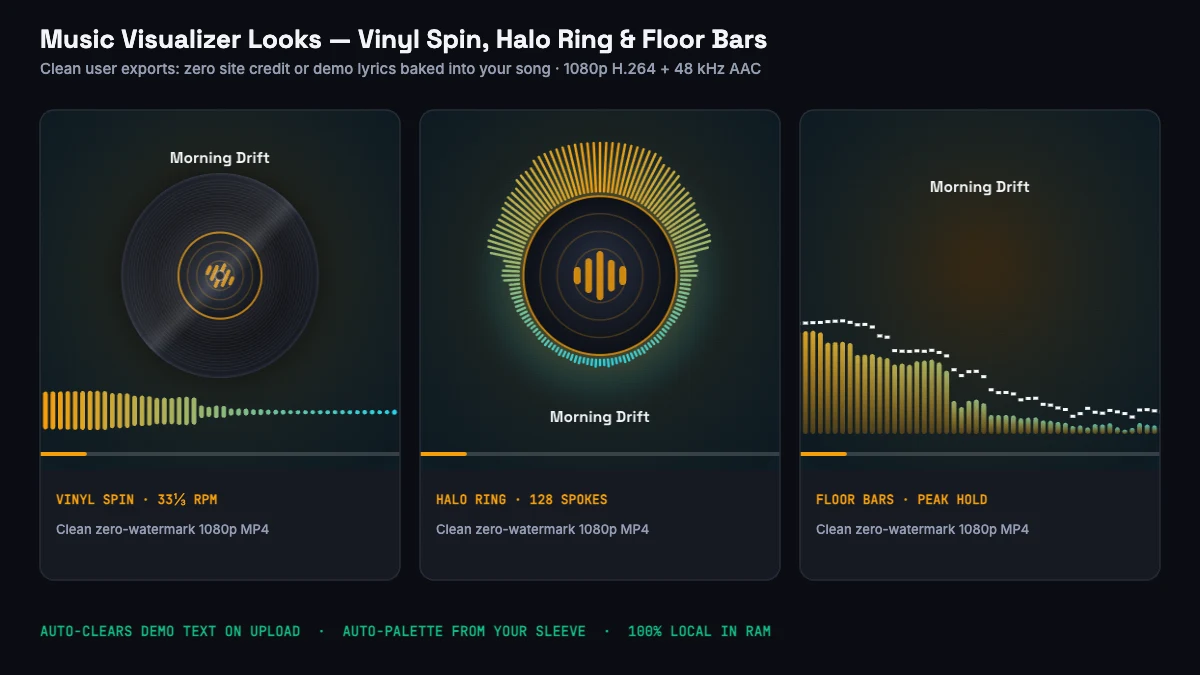
4:5(1080×1350) for maximum mobile screen height in the feed, or1:1(1080×1080) to match classic vinyl sleeve proportions. - Pick Vinyl Spin, Cover Card, or Static Cover Only (on /mp3-to-video if you want zero bars).
3. Instagram Stories (15–60s Quick Audio Teaser)
Upload the exact same 9:16 MP4 exported for Reels straight into your Instagram Story, then overlay native Link Stickers pointing listeners to Spotify, Apple Podcasts, or YouTube.
How to Upload Original Audio to TikTok (Without a Distributor)
TikTok has no standalone "Upload MP3" button for independent users. According to TikTok Support, every custom sound enters the platform as the audio track inside a published video:
- Wrap your 15–60s audio clip as a
9:161080×1920MP4 using Suno & Indie Lyric Visualizer (with beat-synced karaoke lyrics) or Music Visualizer Online. - Keep lyrics inside TikTok's center Safe Zone: Leave room above the bottom caption stack and away from the right-hand Like/Comment/Share buttons (see exact pixel measurements in our TikTok, Reels & YouTube Shorts Safe Zone Guide).
- Upload via TikTok mobile or TikTok.com web uploader without replacing the sound in-app. Once live on a public account, TikTok creates a dedicated Original Sound page tied to the spinning record icon in the bottom-right corner — tap that icon to rename the sound and pin it for other creators.
- Want an official 60-second Commercial/Artist Sound listed in TikTok Search? Deliver the master audio through your music distributor (DistroKid, TuneCore, CD Baby, etc.) while using your own
9:16lyric visualizer videos to seed early clips.
How to Post Audio on Facebook (Feed, Groups & Facebook Reels)
Facebook discontinued legacy audio-post experiments and handles audio clips through standard Facebook Video and Facebook Reels:
- For Facebook Groups, Pages & News Feed: Export a
4:5(1080×1350) or1:1(1080×1080) MP4 using Podcast Paper (for spoken audio/podcasts) or Cover Card (for music). Because Facebook Feed autoplays silently until tapped, adding burned-in.SRTcaptions or karaoke lyrics turns silent scrollers into active listeners. - For Facebook Reels: Reuse the exact
9:16(1080×1920) MP4 you exported for Instagram Reels — Meta shares the same vertical H.264 + AAC spec and safe-zone layout across both Reels surfaces.
Avoid These 3 Social Audio Mistakes
- Exporting a motionless black screen: Social feeds autoplay silently. A still black frame looks broken and triggers instant scroll-past. Even subtle album-sleeve breathing, a spinning vinyl disc, or a warm-paper podcast waveform + captions signals immediately that sound is playing.
- Uploading copyrighted third-party commercial songs inside custom MP4s: Meta's Rights Manager and TikTok's audio fingerprinting scan uploaded video tracks and can mute or block videos containing unlicensed commercial recordings. Only embed audio you own, created yourself, or hold commercial rights to publish; for famous commercial tracks, use each app's native licensed music picker instead.
- Baking black letterbox bars into vertical clips: Always export native
9:16,4:5, or1:1dimensions directly from the studio rather than dropping a16:9YouTube export onto a black vertical background — both YouTube Help and Meta's video guidelines warn that hard-baked padding breaks adaptive player scaling.
Sources & Primary References
All container requirements, vertical dimensions, and upload rules in this guide were checked directly against primary documentation (verified November 2026):
- IETF RFC 4337 — MIME Type Registration for MPEG-4 (why audio-only
audio/mp4files differ from visual.mp4containers): https://datatracker.ietf.org/doc/html/rfc4337 - TikTok Business Help Center — TikTok Auction In-Feed Ads (official June 2026 vertical
9:16, square1:1, horizontal16:9dimensions,.mp4/.movcontainer,≥ 516 kbpsbitrate, and≤ 500 MBceiling): https://ads.tiktok.com/resources/help/article/tiktok-auction-in-feed-ads?lang=en - TikTok Support — Uploading videos (official video upload workflow and sound handling): https://support.tiktok.com/en/using-tiktok/creating-videos/uploading-videos
- Meta Business Ads Guide — Instagram Reels Video Specifications (official
9:16Reels and4:5/1:1Feed MP4/MOV H.264 + AAC and safe-zone rules): https://www.facebook.com/business/ads-guide/update/video/instagram-reels - Instagram Help Center (official Reels creation and Original Audio documentation): https://help.instagram.com/
- YouTube Help — Upload YouTube Shorts (official up-to-3-minute vertical/square Shorts spec for cross-posting the same
9:16MP4): https://support.google.com/youtube/answer/12779649?hl=en