
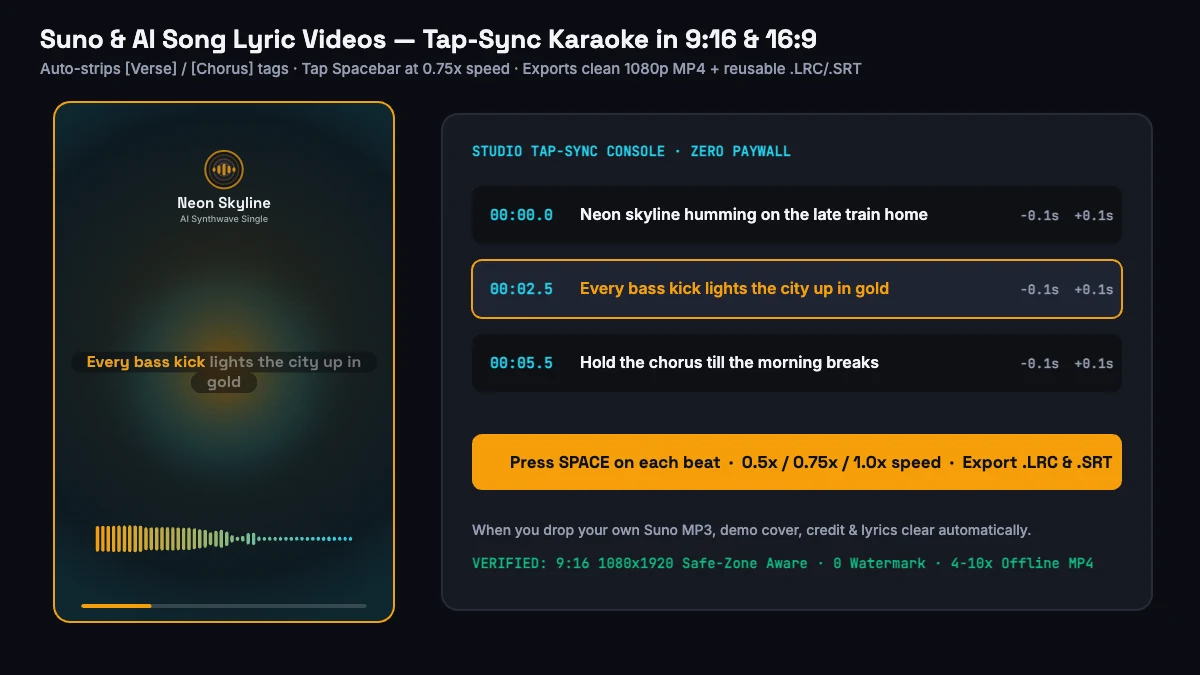
Why Vertical Music & Podcast Videos Lose Views When Safe Zones Are Ignored
Nothing ruins a carefully timed karaoke lyric video or podcast audiogram faster than uploading it to TikTok, Instagram Reels, or YouTube Shorts — only to watch your punchline get buried behind the caption description, your chorus words clipped by the right-hand Like/Share button stack, or your show title hidden behind the top Following / For You tabs.
Because musicians and podcasters normally cross-post the exact same 1080×1920 (9:16) MP4 to all three vertical feeds, you need exact side-by-side numbers — not guesswork — to place artwork, waveforms, and captions once and stay legible everywhere.
Official 1080×1920 Safe Zone Comparison: TikTok vs. Instagram Reels vs. YouTube Shorts
The table below distinguishes verified official platform guidelines (TikTok Business Help Center, updated June 2026; Meta Business Ads Guide; YouTube Help) from practical organic-post margins (where no paid CTA button banner appears at the bottom):
Margin on 1080×1920 (9:16) |
TikTok (Ads Manager / In-Feed) | Instagram & FB Reels (Meta Ads Guide) | YouTube Shorts (Organic Vertical UI) | Universal Safe Box (One File Fits All 3) |
|---|---|---|---|---|
| Top Margin (Keep Clear) | 130–240 px (~7–12.5%) — header & search |
269 px (14%) — profile & camera/back bar |
~200–250 px (~10–13%) — top nav & search |
≥ 270 px (14%) from top |
| Bottom Margin — Paid Ads / Long Captions | 484–660 px (~25–34%) — handle, up to 4 caption lines, audio ticker & CTA |
672 px (35%) — caption, audio label & CTA bar |
~420–500 px (~22–26%) — channel pill, title, Subscribe & sound |
≥ 672 px (35%) if boosting ads; ≥ 485 px (25%) for organic clips |
| Left Margin (Keep Clear) | 44–120 px (~4–11%) — device bezel & caption left edge |
65 px (6%) — screen-ratio crop buffer |
~60–80 px (~6–7%) — edge crop safety |
≥ 80 px (7.5%) from left |
| Right Margin (Keep Clear) | 140–180 px (~13–17%) — profile, heart, comment, bookmark, share, spinning disc |
65 px (6%) min (allow ~140–180 px in lower-right icon rail) |
~150–180 px (~14–17%) — Like, Dislike, Comment, Share, Remix |
≥ 180 px (17%) from right |
| Usable Center Core Box | ~840–896 × 1020–1306 px |
950 × 979 px (strict ad box) |
~840 × 1200 px |
820 × 978 px (strict ads) or 820 × 1165 px (organic) |
Key Platform Nuances Worth Checking Before Export
- TikTok varies by caption length and interactive add-ons: Per TikTok Business Help Center (TikTok Auction In-Feed Ads, updated June 2026), "The safe zone size is determined by the dimension (vertical, horizontal, or square), ad caption length, and any additional formats used," and Spark Ads pull up to 4 lines of organic captions. TikTok publishes downloadable official
In-Feed-Standard Version LTR .zipandIn-Feed with Anchor-Standard LTR .zipoverlays directly on that help page. - Meta unifies Instagram Reels, Facebook Reels, and Stories around
14% / 35% / 6%: Meta's Ads Guide recommends designing vertical masters to Reels' tightest14%top /35%bottom /6%side bounds so Advantage+ placements never crop hooks when cross-delivering between Reels and Stories. Also remember the Instagram Profile Grid crop: your9:16Reel cover crops to a centered4:5(or1:1on older grid views) rectangle on your profile tab, so keep song titles and artist names centered vertically too! - YouTube Shorts now accepts up to 3 minutes — and rejects baked black bars: Per YouTube Help (Upload YouTube Shorts), vertical or square videos up to 3 minutes qualify as Shorts. Per YouTube Help (Video resolution & aspect ratios), never hard-bake black or white padding bars into your MP4 because padding breaks YouTube's dynamic player scaling across phones.
Exactly How Audio Visualizer Online's Built-In Safe Zones Overlay Works
Rather than making you guess coordinates in Photoshop or Premiere, our studio includes a 1-click Safe Zones toggle directly on the preview toolbar — and it is 100% preview-only (stripped automatically during export via !isExport in src/renderers.js so dashed cyan lines never appear in your MP4).
For complete transparency, here are the exact coded coordinates drawn by our preview overlay on any vertical 9:16 (1080×1920) canvas (drawSocialSafeZones in src/renderers.js):
- Top shaded zone:
0to11%height (0–211 pxon1080×1920) - Right icon rail shaded zone:
82%to100%width (194 pxwide from the right edge) across42%–80%height - Bottom shaded zone:
80%to100%height (384 pxfrom the bottom edge) - Dashed cyan inner guide box:
x = 5%..82%(54 pxleft margin,194 pxright margin),y = 11%..80%(211 pxtop margin,384 pxbottom margin)
Matching Our Presets to Organic Posts vs. Paid Ads
Because our studio overlay models standard organic mobile chrome (bottom 20%), check which built-in vertical preset places your text highest when you plan to run paid Meta/TikTok ads (which expand the bottom overlay toward 30–35%):
Studio Preset (9:16) |
Coded Lyric / Caption Vertical Center (y) |
Organic TikTok / Reels / Shorts Safety | Paid Ad (bottom 35%) Safety |
|---|---|---|---|
Lyric Flow (/suno-music-visualizer) |
52% height (y = 998 px) |
100% clear (dead center of screen!) | 100% clear (sits well above 65% ad ceiling!) |
Quote Clip (/podcast-audiogram-maker) |
56% height (y = 1075 px) |
100% clear (center band) | 100% clear (well above 65% ad ceiling!) |
Podcast Paper / Podcast Noir |
75.5% height (y = 1450 px) |
Clear above compact 1–2 line organic captions (watch tall 5–6 line blocks) | Sits inside 35% paid-ad CTA band — use Quote Clip or Lyric Flow for boosted ads |
Halo Ring / Vinyl Spin + Lyrics |
85.5% height (y = 1642 px) |
Great on 16:9 YouTube; sits inside 9:16 bottom social caption zone |
Switch to Lyric Flow when exporting 9:16 lyric clips for TikTok/Reels |
That single preset table saves hours of re-rendering: use Lyric Flow for vertical lyric clips and Quote Clip for boosted vertical podcast ads, keeping active text parked squarely between 50% and 60% vertical height where zero platform buttons ever reach.
4-Step Vertical Safe-Zone Pre-Flight Checklist
- Choose a center-framed vertical preset: Pick
Lyric Flowon Suno & Indie Lyric Visualizer for songs, orQuote Clip/Podcast Paperon Podcast Audiogram Maker for spoken clips, and set Aspect Ratio to9:16(1080×1920). - Toggle
Safe Zoneson while scrubbing your longest lyric or caption line: Verify that multi-line speaker blocks and long song titles stay completely inside the cyan dashed box and well clear of the right-hand18%button rail. - Keep your caption text concise in TikTok/Instagram: Every extra line you type in the TikTok or Instagram caption box pushes the bottom UI upward over your video. Stick to 1–2 punchy lines before the
...morefold. - Export one clean
1080×1920H.264 MP4 and cross-post natively: One properly framed9:16master works cleanly across TikTok, Instagram Reels, Facebook Reels, and YouTube Shorts with zero watermarks and zero re-editing. (For Spotify Canvas, switch to our dedicated608×1080 · 8stext-free preset documented in the Spotify Canvas Dimensions & Specs Guide.)
Sources & Primary References
All pixel coordinates, ad-placement ratios, and Shorts guidelines in this guide were verified against primary documentation and studio source code (checked November 2026):
- TikTok Business Help Center — TikTok Auction In-Feed Ads (official June 2026 safe-zone rules, 4-line Spark Ad caption cap, and official downloadable In-Feed Safe Zone
.ziptemplates): https://ads.tiktok.com/resources/help/article/tiktok-auction-in-feed-ads?lang=en - Meta Business Ads Guide — Instagram Reels Video Specifications (official
9:1614%top /35%bottom /6%side safe-zone guidelines for Reels and Stories): https://www.facebook.com/business/ads-guide/update/video/instagram-reels - YouTube Help — Get started creating YouTube Shorts (official vertical Shorts overview): https://support.google.com/youtube/answer/10059070?hl=en
- YouTube Help — Upload YouTube Shorts (official up-to-3-minute vertical or square upload criteria): https://support.google.com/youtube/answer/12779649?hl=en
- YouTube Help — Video resolution & aspect ratios (official guidance against baking black padding bars into vertical uploads): https://support.google.com/youtube/answer/6375112?hl=en
- Audio Visualizer Online Engineering Lab (exact
drawSocialSafeZones()preview coordinates and presetlyricYpositions verified insrc/renderers.js): About & Verified Benchmarks