
Quick Decision Rule: When to Use 44.1 kHz vs. 48 kHz
If you only need a fast answer before bouncing a mix, podcast, or music visualizer video, follow this verified rule:
- Use
48 kHz(24-bit) for all video work: YouTube, TikTok, Instagram Reels, film, Premiere Pro, DaVinci Resolve, Final Cut Pro, OBS Studio, and any music video or audio visualizer you will pair with footage. - Keep your native master rate (
44.1 kHzor48 kHz, 24-bit FLAC/WAV) for music streaming and podcasts: Do not needlessly upsample an already-finished44.1 kHzsong to48 kHzfor Spotify, and do not downsample a native48 kHzmix back to44.1 kHzunless you are pressing a Red Book audio CD.
Official Platform Audio Requirements Compared (Verified Primary Sources, Nov 2026)
Instead of repeating forum folklore, every row below comes directly from each platform's current published technical specification:
| Platform / Standard | Official Sample Rate Spec | Official Format & Bitrate / Bit Depth | Loudness & True Peak Target | Primary Source |
|---|---|---|---|---|
| YouTube (Video & Music) | 48 kHz (explicitly recommended) |
MP4 Fast Start; AAC-LC, Opus, or Eclipsa Audio; upload bitrates 128 kbps Mono / 384 kbps Stereo / 512 kbps 5.1 |
Normalized around -14 LUFS (true peaks ≤ -1 dBTP advised) |
YouTube Help (#1722171) |
| Spotify (Music Delivery) | 44.1 kHz or higher ("Keep the original sample rate and bit depth") |
FLAC strongly preferred; WAV accepted (0x0001 WAVE_FORMAT_PCM, not 0xFFFE); 24-bit native master (16-bit fallback), Stereo |
-14 dB integrated LUFS (ITU 1770); < -1 dB TP (or < -2 dB TP if master is louder than -14 LUFS) |
Spotify Audio Formats & Loudness Normalization |
| Apple Podcasts (Subscriber Audio) | 44.1 kHz min; 44.1, 48, 88.2, 96, 176.4, or 192 kHz recommended |
WAV or FLAC (must be stereo/dual-mono, 24-bit recommended) or MP3 (96–128 kbps mono / 128–256 kbps stereo) |
Industry target ~-16 LKFS ±1 dB, -1 dBTP ceiling (ITU-R BS.1770) |
Apple Podcasts Audio Requirements |
| Apple Podcasts (RSS Feeds) | 44.1 kHz or 48 kHz recommended |
AAC strongly recommended over MP3 (in MP4 container rather than ADTS); 64–128 kbps mono / 128–256 kbps stereo |
Keep consistent spoken dialogue loudness with -1 dBTP headroom |
Apple Podcasts Audio Requirements |
| Broadcast TV (Europe — EBU R 128) | 48 kHz broadcast standard |
Uncompressed PCM / broadcast codecs | -23.0 LUFS (±0.5 / ±1.0 LU), max -1.0 dBTP |
EBU Recommendation R 128 & ITU-R BS.1770 |
Why Video Standardized on 48 kHz (The Exact Frame-Rate Division Math)
The split between 44.1 kHz and 48 kHz has nothing to do with "warmer analog tone" — it is pure integer arithmetic:
44,100 Hzcame from Compact Discs (IEC 60908 Red Book): In the late 1970s, early PCM digital audio was stored on Sony U-matic PAL/NTSC videotape recorders.44,100 = 2² × 3² × 5² × 7²divided cleanly into both50 HzPAL and60 HzNTSC video field rates while exceeding double the20 kHzhuman hearing threshold (Nyquist frequency =22,050 Hz).48,000 Hzcame from digital broadcast video and film: Modern video frame rates require audio samples to group cleanly into whole frames without fractional sample drift across long timelines. Compare exact samples per video frame:
| Video Frame Rate | Samples per Frame at 44,100 Hz |
Samples per Frame at 48,000 Hz |
Result in NLEs & Muxers |
|---|---|---|---|
24 fps (Cinema) |
1,837.5 (fractional!) |
2,000 (exact integer) |
48 kHz locks cleanly on every frame boundary |
25 fps (PAL / Europe) |
1,764 (integer) |
1,920 (exact integer) |
Both clean; 48 kHz is broadcast mandate |
30 fps (Web / YouTube) |
1,470 (integer) |
1,600 (exact integer) |
48 kHz matches YouTube & hardware audio clocks |
50 fps (PAL HFR) |
882 (integer) |
960 (exact integer) |
48 kHz matches broadcast HFR |
60 fps (Gaming / Reels / Shorts) |
735 (integer) |
800 (exact integer) |
48 kHz matches WebCodecs & Opus/AAC frames |
23.976 / 29.97 fps (NTSC Drop-Frame) |
Irregular cadence | Standard 5-frame NTSC cadence (1602/1601/1602/1601/1602) |
Every major NLE (Premiere, Resolve, FCP) expects 48 kHz |
Notice 24 fps: at 44.1 kHz, every single cinema frame contains 1,837.5 audio samples — forcing editors to split sample cadence across frames or trigger real-time sample-rate conversion on playback. At 48 kHz, every frame holds an exact 2,000 samples.
3 Persistent Audio Myths Debunked by Official Docs
Myth 1: "Exporting a Static Cover Video in 4K Gives You Higher Audio Quality on YouTube"
False. YouTube's official Recommended upload encoding settings page states verbatim: "Audio playback bitrate is not related to video resolution." Uploading a 1080p (or 720p for long podcasts) MP4 with clean 48 kHz stereo audio gives viewers the exact same streaming audio tier as a 4K upload — without quadrupling render time and file size.
Myth 2: "Always Convert Your 44.1 kHz Song Up to 48 kHz Before Sending to Spotify"
False. Spotify's official Audio file formats guide explicitly instructs: "Deliver your audio exactly as it was mastered. Keep the original sample rate and bit depth." Upsampling a 44.1 kHz master to 48 kHz cannot restore frequencies that were never recorded above 22.05 kHz — it only adds an unnecessary interpolation pass. Deliver your native master to Spotify, and let your video export step output 48 kHz for YouTube.
Myth 3: "Spotify Normalizes Every Device, So True Peak Headroom Doesn't Matter"
False. Spotify's official Loudness normalization documentation calls out two critical details most artists miss:
- "The web player and 3rd-party devices (like TVs or speakers) don't use loudness normalization."
- "Keep it below
-1 dB TP(True Peak) max... If your master is louder than-14 dBintegrated LUFS, keep True Peak below-2 dBto avoid extra distortion" during lossy Ogg/Vorbis and AAC transcoding.
What Happens When You Drop a 44.1 kHz MP3 or 48 kHz WAV Into Audio Visualizer Online
Because browser audio pipelines bridge Web Audio API (BaseAudioContext.sampleRate) and WebCodecs (AudioEncoder.configure()), sample-rate mismatches and multichannel layouts often break naive web converters. Here is how our local studio handles both cleanly:
- Unified
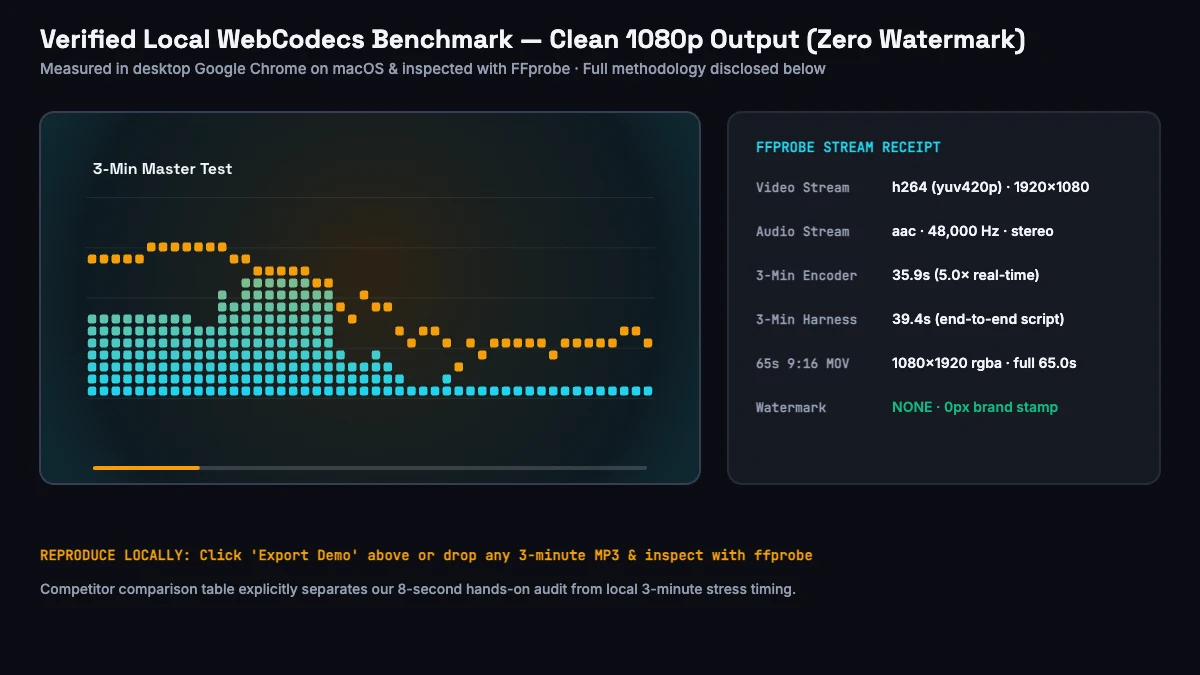
48,000 HzVideo Output: Whether you drop a44.1 kHzSuno MP3, an iPhone.m4aVoice Memo, or a48 kHz24-bit DAW WAV, our studio outputs YouTube- and NLE-native48 kHzstereo AAC-LC (inside MP4) or uncompressed48 kHz16-bit PCM (pcm_s16le) (inside Transparent Alpha MOV), verified viaffprobe. 0.0 msAAC Priming Compensation: Standard browser AAC encoders prepend2,112priming samples (44 msat48 kHz). Our MP4 writer measures encoder priming dynamically and writes ISOedts/elst+sgpd/sbgpatoms so downbeats decode at exact0.0 msdrift in both FFmpeg and Apple AVFoundation (see Synced Lyrics & AAC Priming Guide).- ITU-R BS.775 Multichannel Downmix: Dropping a 5.1 surround WAV or quad export into basic browser visualizers often discards channels 3–6 and silences center-channel vocals. Our decoder applies the standard ITU-R BS.775 downmix formula so center dialogue and vocals stay intact inside stereo MP4s and FFT spectrum bars.
Ready to package your track or podcast into a clean 48 kHz video? Use MP3 & WAV to Video for fast YouTube MP4 delivery or Transparent Audio Visualizer for uncompressed 48 kHz PCM + 32-bit RGBA MOV editor overlays.
Sources & Primary References
Every sample rate, bitrate, loudness target, and container rule in this article was checked directly against primary standards and platform documentation (verified November 2026):
- YouTube Help — Recommended upload encoding settings (official
48 kHzsample rate, AAC-LC/Opus codecs,128/384/512 kbpsaudio bitrates, and statement that audio bitrate is unrelated to video resolution): https://support.google.com/youtube/answer/1722171?hl=en - Spotify for Artists — Audio file formats for Spotify (FLAC preference, WAV
0x0001 WAVE_FORMAT_PCMrule,44.1 kHz+native sample rate & 24-bit delivery): https://support.spotify.com/us/artists/article/audio-file-formats/ - Spotify for Artists — Loudness normalization on Spotify (
-14 dBintegrated LUFS per ITU 1770,-1 dB/-2 dBTrue Peak rules, web player/3rd-party device exception): https://support.spotify.com/us/artists/article/loudness-normalization/ - Apple Podcasts for Creators — Audio requirements (subscriber WAV/FLAC stereo
44.1–192 kHz24-bit specs and RSS AAC-in-MP444.1/48 kHzrecommended bitrates): https://podcasters.apple.com/support/893-audio-requirements - ITU-R Recommendation BS.1770 (international standard defining K-weighted LUFS/LKFS loudness and 4× oversampled dBTP true-peak measurement): https://www.itu.int/rec/R-REC-BS.1770
- ITU-R Recommendation BS.775 (standard 5.1 multichannel-to-stereo downmix coefficients): https://www.itu.int/rec/R-REC-BS.775
- European Broadcasting Union — EBU Recommendation R 128 (PDF) (broadcast
-23.0 LUFStarget and-1.0 dBTPmaximum true peak): https://tech.ebu.ch/docs/r/r128.pdf - MDN Web Docs — BaseAudioContext.sampleRate & WebCodecs AudioEncoder.configure() (browser audio pipeline sample-rate specifications): https://developer.mozilla.org/en-US/docs/Web/API/BaseAudioContext/sampleRate · https://developer.mozilla.org/en-US/docs/Web/API/AudioEncoder/configure