
Direct Answer: Visualizer vs Lyric Video vs Full Music Video
Every independent musician, beatmaker, and small label faces the same release-week bottleneck: streaming platforms reward video everywhere (YouTube, TikTok, Instagram Reels, Spotify Canvas), yet filming a full music video for every single track is financially impossible.
Choosing between an audio visualizer, a synced lyric video, and a full music video is not an all-or-nothing decision — each format serves a distinct point in your release calendar.
| Dimension | Audio Visualizer | Synced Lyric Visualizer | Full Filmed Music Video |
|---|---|---|---|
| Typical Cost | $0 (local browser studio) | $0 (Tap-Sync + .LRC/.SRT) | $800 – $15,000+ (crew, gear, edit) |
| Turnaround Time | 1–3 minutes per track | 5–10 minutes per track | 2 – 6 weeks (shoot + color + cut) |
| Best Aspect Ratios | 16:9 YouTube, 1:1 Feed, 9:16 Spotify Canvas (608×1080, 3–8s) | 9:16 TikTok/Shorts + 16:9 YouTube | 16:9 Premiere + cropped vertical cutdowns |
| Ideal Catalog Role | Album tracks, B-sides, Type Beats, Lo-Fi mixes | Singles, chorus hooks, Suno/AI tracks, rap verses | Flagship lead single & press-kit centerpiece |
| Audience Signal | Audio-first focus, background listening, beat leases | High sing-along retention & lyric search discovery | Brand storytelling, press coverage, visual identity |
When an Audio Visualizer Beats a Full Music Video
1. Album Tracks, Deluxe Editions & B-Sides
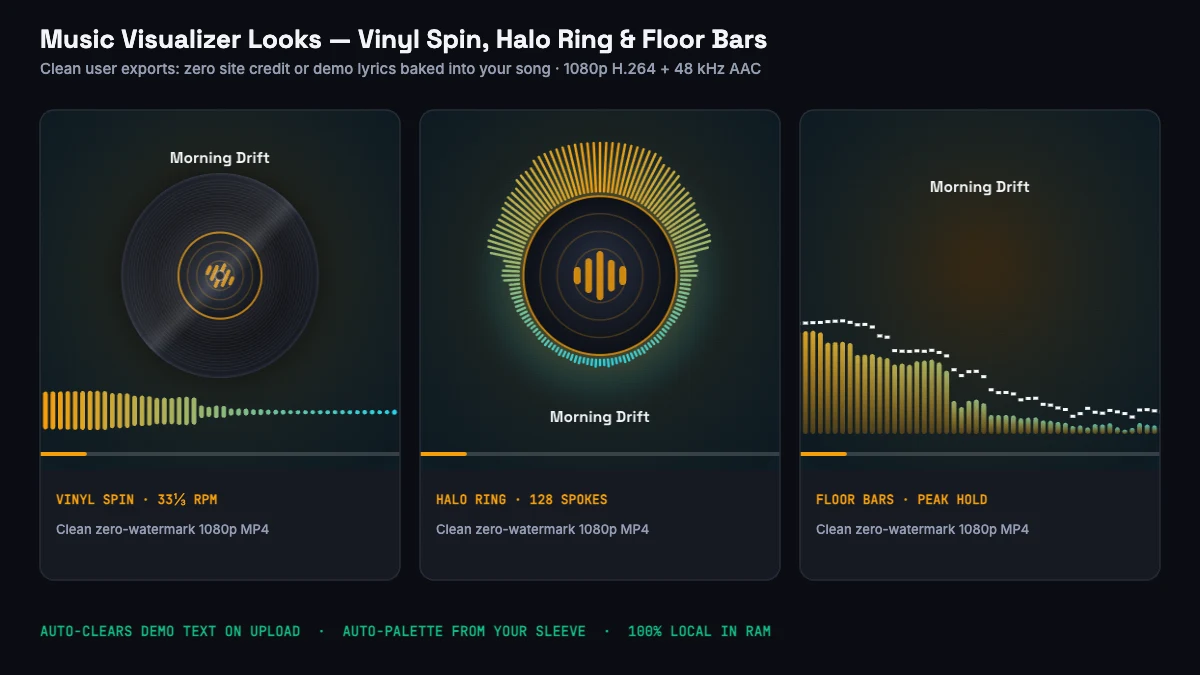
If you drop a 10-track EP or album, shooting 10 live-action videos is unrealistic. Publishing a cohesive set of 1080p audio visualizers — using your album sleeve with Auto-Palette color extraction and consistent Vinyl Spin or Halo Ring framing — turns your entire YouTube playlist into a unified visual record on release day.
2. Beatmakers & Instrumental Releases
Type-beat producers publish 3 to 7 beats per week. Speed and visual consistency beat cinema budgets here. With local WebCodecs offline export finishing a 3-minute 1080p MP4 in ~30–35 seconds, you can bounce a crisp reactive visualizer for every beat before uploading to YouTube and BeatStars.
3. Testing Hook Performance on TikTok & Reels Before Spending Shoot Budget
Smart indie teams never spend $3,000 filming a music video before knowing which 30-second chorus actually resonates. Cut three 30-second vertical 9:16 lyric visualizers with Safe Zones enabled, post them over a week, and invest filming dollars only behind the hook that earns organic saves and shares.
4. Background Listening & Lo-Fi / Study Streams
Audiences searching for lo-fi hip-hop, ambient focus tracks, or synthwave playlists actively prefer calm, hypnotically moving sleeves (like Cover Card or subtle Vinyl Spin with film grain) over fast-cut narrative videos that distract them while working.
When You Should Still Invest in a Full Music Video
An audio visualizer cannot replace human presence when you are building a long-term artist persona. Reserve live-action shoots (or high-effort hybrid cuts) for:
- Lead singles where media blogs, playlist curators, and new fans want to see your face, performance energy, and visual world.
- Narrative songs where plot twists, choreography, or humor drive viral sharing beyond the music itself.
- Live sessions & acoustic performances, where you can layer a Transparent Audio Visualizer Overlay onto real camera footage in Premiere Pro or DaVinci Resolve for a polished hybrid look.
The Hybrid 3-Stage Release Playbook Used by Indie Teams
- Release Day (Hour 0): Publish the full-length 16:9 Audio Visualizer (with synced lyrics) on YouTube alongside streaming distribution so every search lands on your own channel instead of an empty static cover.
- Week 1–2 (Short-Form Discovery): Bounce three 30-second 9:16 Karaoke Lyric Clips highlighting the verse, pre-chorus, and hook for TikTok, Reels, and YouTube Shorts using our Music Visualizer or Suno Music Visualizer.
- Week 3–4 (Second Wave): If the track crosses your target save rate, premiere a filmed official video or acoustic live cut — doubling the song's promotional lifespan without burning budget upfront.
Sources & Primary References
All platform release specs, Official Artist Channel boundaries, and local render timings in this release playbook reference primary documentation (verified November 2026):
- YouTube Help — Recommended upload encoding settings (16:9 1080p H.264 + 48 kHz AAC-LC delivery specs): https://support.google.com/youtube/answer/1722171?hl=en
- Spotify for Artists — Canvas guidelines (official 9:16 720–1080px, 3–8s MP4 release loop requirements): https://support.spotify.com/us/artists/article/canvas-guidelines/
- YouTube Help — Upload YouTube Shorts (up-to-3-minute vertical/square short-form music hook specs): https://support.google.com/youtube/answer/12779649?hl=en
- Audio Visualizer Online Engineering Lab (local Chrome +
ffprobe3-minute 1080p MP4 benchmark:35.9sencoder /39.4sharness): About & Verified Benchmarks