
Exact Green Screen & Blue Screen Hex Codes (Digital vs. Physical Studio)
Search "green screen hex code" and half the web gives you #00FF00 while the other half gives you #00B140 — without explaining why they differ. Picking the right hex code depends entirely on whether your background is rendered digitally inside software or lit in front of a camera:
| Keying Color Name | Hex Code | RGB Value | HSL | Best Use Case | Why It Works |
|---|---|---|---|---|---|
| Pure Digital Green | #00FF00 |
rgb(0, 255, 0) |
120°, 100%, 50% |
Motion graphics, audio visualizers, CapCut / OBS / FCP digital overlays | Zero red (0) and zero blue (0) channels give maximum mathematical separation in digital encoders |
| Studio Chroma Key Green | #00B140 |
rgb(0, 177, 64) |
142°, 100%, 35% |
Physical studio paint, fabric backdrops, live camera streams | Lower luminance stops camera highlights from clipping to white and cuts green reflection spill onto faces and hair |
| Classic Rosco / Broadcast Green | #04F404 / #009933 |
rgb(4, 244, 4) / rgb(0, 153, 51) |
120° / 140° |
Broadcast sets & darker tungsten/LED lit backdrops | Keeps chroma saturated without blowing out exposure meters (~50 IRE on waveform monitor) |
| Digital Chroma Blue | #0000FF (digital) / #0047BB (studio) |
rgb(0, 0, 255) / rgb(0, 71, 187) |
240° / 217° |
When your graphic or talent contains bright green, lime, or emerald | Avoids keying holes inside green spectrum bars, plants, or neon clothing |
Why Green Wins in Digital Video Math (ITU-R BT.709 & 4:2:0 Chroma Subsampling)
Why did digital video standardize on green screens rather than yellow or purple? Two verifiable engineering facts drive it:
- Green dominates digital video luminance (
Y'): Under ITU-R Recommendation BT.709 (the global HDTV standard referenced by YouTube and every modern NLE), RGB pixels convert to luma (Y') viaY' = 0.2126 R' + 0.7152 G' + 0.0722 B'. Green carries 71.5% of the luminance signal — meaning digital cameras (which also dedicate twice as many Bayer sensor photosites to green as to red or blue) capture the lowest-noise, sharpest edge matte on green. - The
4:2:0H.264 Chroma Subsampling Catch: Standard H.264 MP4 files (yuv420p) store full resolution for luminance (Y), but cut color information (Cb/Cr) to half width and half height (quarter pixel resolution). On a pure#00FF00MP4 green screen, 2-pixel-wide anti-aliased waveform edges blend into green blocks during4:2:0encoding — which is why you must nudge Strength / Spill Suppression in CapCut or Final Cut Pro Keyer, and why you should never place neon green or teal bars on top of a#00FF00backdrop.
Practical Rule for Audio Visualizer Overlays on #00FF00 Green Screen
When exporting a Green Screen (#00FF00) Fast MP4 from Transparent Audio Visualizer for CapCut or Final Cut Pro:
- Pick high-contrast non-green bar colors: pure white (
#FFFFFF), warm amber (#F59E0B), coral red (#EF4444), violet (#A855F7), or deep black (#000000); - Avoid pure green or lime accents, and check Chroma Key Strength (
22–32) + Shadow (10) in CapCut to clean up4:2:0anti-aliasing fringes; - Disable Film Grain (our studio disables grain automatically whenever Green or Transparent background is selected so your
#00FF00matte stays 100% uniform pixel-for-pixel!).
When to Skip Green Screen Completely: True Transparent Alpha Video Formats Compared
Green screen keying is a workaround for editors that refuse transparent video (such as CapCut) or quick 1-step workflows. Whenever your editor supports an alpha channel — especially when your overlay uses glowing radial rings, soft drop shadows, or cyan/green colors — true RGBA alpha video delivers cleaner edges with zero green spill.
Every codec specification below is verified directly against Apple Support (About Apple ProRes), Library of Congress (fdd000527), Apple Developer (WWDC19 HEVC Video with Alpha), The WebM Project Container Guidelines, and IETF RFC 9559 (Matroska):
| Alpha Video Format | Pixel Format & Alpha Depth | Typical Bitrate (1080p30) | Verified Editor & Platform Support | Best Role |
|---|---|---|---|---|
Apple ProRes 4444 (.mov, ap4h) |
4:4:4:4 RGBA / Y'CbCrA, up to 12-bit color + mathematically lossless up-to-16-bit alpha |
~330 Mbps (ProRes 4444 XQ ~500 Mbps per Apple Support) |
Final Cut Pro, macOS AVFoundation, Premiere Pro, After Effects, DaVinci Resolve | Gold-standard mastering alpha on macOS & cross-NLE pipelines |
HEVC with Alpha (.mov, hvc1) |
Hardware-encoded HEVC + auxiliary alpha plane (per Apple WWDC19 506) | ~5–15 Mbps (tiny files!) |
Final Cut Pro, modern macOS, iOS, Safari <video> |
Lightweight native Apple alpha overlays & web playback on Safari |
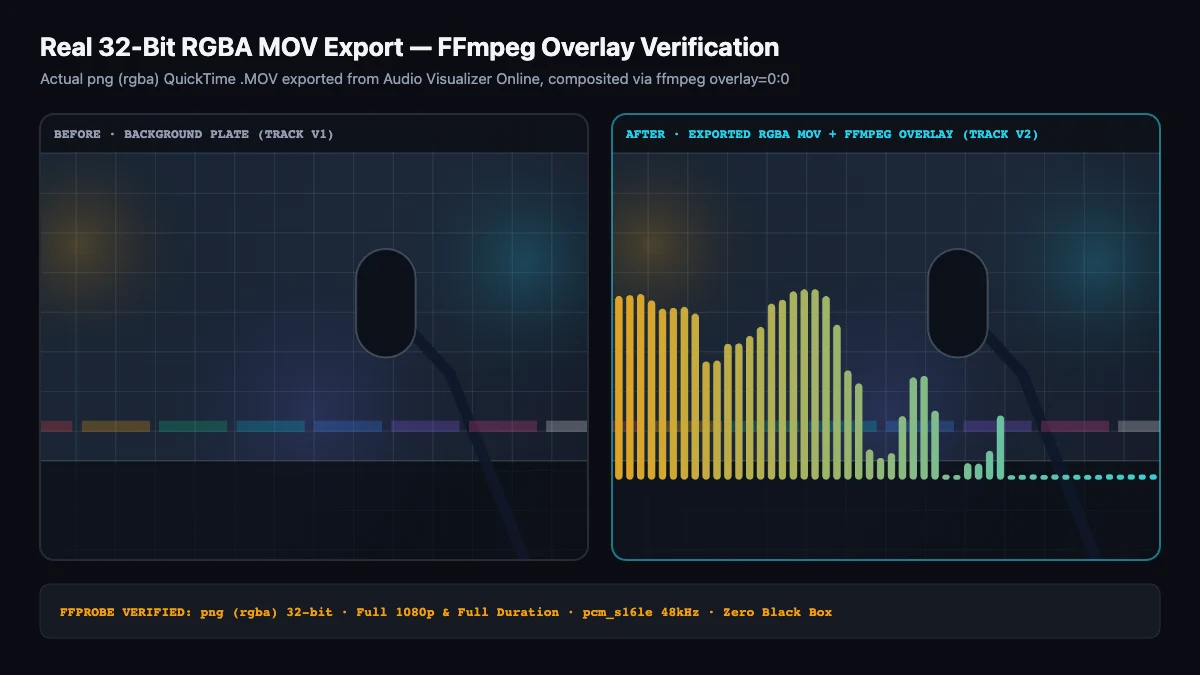
32-Bit PNG-in-MOV (.mov, png ) |
Lossless 8-bit/channel 32-bit RGBA + uncompressed 48 kHz PCM |
~10–30 Mbps (flat graphics compress tightly) |
FFmpeg, Premiere Pro, After Effects, DaVinci Resolve (test 1s clip; dropped by modern macOS AVFoundation/FCP) | Zero-WASM instant browser export from Transparent Audio Visualizer |
VP9 Alpha WebM (.webm) |
yuv420p + AlphaMode="1" BlockAdditional alpha plane (per WebM Container Guidelines & IETF RFC 9559) |
~3–8 Mbps |
OBS Studio, Chrome, Edge, Firefox playback (note: Firefox recording outputs opaque black; CapCut ignores alpha) | Live stream OBS Media Sources & Chrome/Edge transparent web video |
Animated GIF (.gif, GIF89a) |
256-color indexed palette + 1-bit binary transparency (no soft glow gradients) | ~135–900 KB (3s loop) |
Notion, Discord, Slack, PowerPoint, email newsletters | Lightweight short loops (≤ 15s) with zero video player needed |
Quick Decision Tree: Pick the Cleanest Overlay Path in 15 Seconds
- Using CapCut (Desktop or Mobile)? Export
#00FF00Green Screen Fast MP4 — CapCut strips VP9 WebM alpha to solid black, whereas H.264#00FF00keys cleanly in 2 clicks. - Using Premiere Pro, After Effects, or DaVinci Resolve? Click Export 1s Demo Test MOV (720p) on Transparent Audio Visualizer to verify your exact NLE build decodes 32-bit RGBA
pngMOV cleanly, then export full-length 1080p Transparent Alpha MOV (zero keying, zero green spill,0 ms48 kHz PCM sync). - Using Final Cut Pro on modern macOS? Either export
#00FF00Green Screen Fast MP4 + Final Cut Pro's built-in Keyer (zero CLI), OR export our lossless Transparent Alpha MOV and transcode locally in one FFmpeg line to native Apple ProRes 4444 (ffmpeg -i in.mov -c:v prores_ks -profile:v 4444 -pix_fmt yuva444p10le -c:a copy out-prores4444.mov) or HEVC with Alpha (ffmpeg -i in.mov -c:v hevc_videotoolbox -alpha_quality 0.75 -vtag hvc1 -c:a copy out-hevc-alpha.mov). - Using OBS Studio? Export Transparent Alpha WebM (VP9) from desktop Chrome, Edge, or Brave (Firefox records opaque black WebM — our studio warns you automatically) and load as a looping Media Source.
For full step-by-step screenshots and timeline instructions inside each editor, read our Premiere, After Effects, DaVinci, Final Cut & CapCut Transparent Overlay Guide.
Sources & Primary References
All color-math equations, ProRes/HEVC alpha bit depths, and WebM container specifications in this guide cite primary technical standards and vendor documentation (verified November 2026):
- ITU-R Recommendation BT.709 (HDTV color primaries and luma-chroma matrix coefficients
Y' = 0.2126R' + 0.7152G' + 0.0722B'): https://www.itu.int/rec/R-REC-BT.709 - Apple Support — About Apple ProRes (official Apple ProRes 4444
~330 Mbpsand 4444 XQ~500 Mbpsspecs, up to 12-bit color and mathematically lossless up-to-16-bit alpha): https://support.apple.com/en-us/102207 - Library of Congress — Apple ProRes 4444 Codec Family (
fdd000527) (archival format specification for 4:4:4:4 alpha encoding): https://loc.gov/preservation/digital/formats/fdd/fdd000527.shtml - Apple Developer — WWDC19 Session 506: HEVC Video with Alpha (native macOS/iOS/Safari hardware-accelerated alpha video): https://developer.apple.com/videos/play/wwdc2019/506/
- The WebM Project — WebM Container Guidelines (official
AlphaModeelement specification indicatingBlockAdditionalalpha data): https://www.webmproject.org/docs/container/ - IETF RFC 9559 — Matroska Media Container Format Specification (EBML container standard underlying WebM): https://datatracker.ietf.org/doc/html/rfc9559
- MDN Web Docs — Web video codec guide (H.264
yuv420p, VP9, and HEVC browser/codec reference): https://developer.mozilla.org/en-US/docs/Web/Media/Guides/Formats/Video_codecs