
Set up the song before you time the words
Use the exact bounce you will release. Two mixes with the same name can have different amounts of silence before the first downbeat. Add the audio first, then the cover and the lyrics. This order matters because loading a new track clears the demo material. Listen from the beginning until the first line arrives. If the singer comes in before the drums, that first syllable is the cue. The bar line on your session grid can be a beat too late.
The lyric video maker opens on the Lyrics tab with Kinetic lettering and a widescreen frame. Drop the track on the preview or switch to Audio to select it. For a rehearsal, use one verse and a chorus before preparing the rest of the sheet. Include a quick line, a held note and an instrumental gap. Those three moments will tell you more about the timing and readability of your design than a still of the title card.
Give each phrase room on the screen
Paste each phrase on its own line and write repeated choruses out where they actually occur. A line break is an editorial decision. In a sentence such as I kept the porch light on / until you made it home, the break gives the listener a complete image before the next thought arrives. Splitting just before on leaves a dangling verb. Read your sheet out loud once and move breaks to places where a singer would naturally breathe.
If you have a timed sheet already, import it and listen to the first line after every long break. Simple LRC records when a line starts. SRT can also say when it disappears. Use the LRC to SRT converter when a producer needs the same words in another format. Keep the original file with your mix so you can recover its precise cue endings later.
Tap the entries and repair a late line
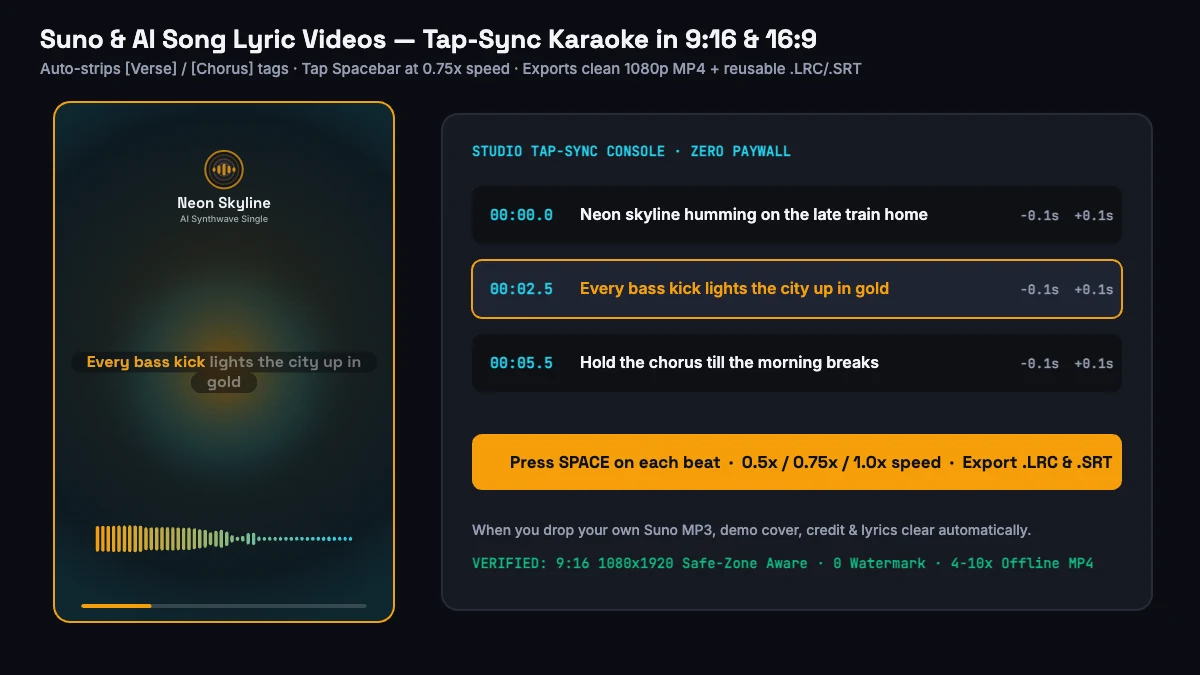
Start Tap-Sync and press Space once as you hear the first sound of each phrase. On a rapid verse, slow the transport to half or three-quarter speed. The saved times still refer to the song timeline. Read one line ahead so your hand can follow the vocal without waiting for your eyes to catch up. After the pass, return playback to normal speed and listen without touching the controls.
For a late entry, move that line earlier with its minus adjustment. The buttons move in tenths of a second. Recheck the line before it too. If every chorus is early by the same amount, compare the file against the bounce the lyric sheet came from. If the discrepancy grows with each verse, check for an extended intro, a missing bar or an alternate mix before nudging dozens of individual lines.
Frame the lyric and check the actual video
Try the busiest part of your cover behind the longest line. A pale sky can make white lettering disappear even when the first line over a dark jacket looked clear. Switch to a quieter background or test the Podcast caption style for stronger separation. For a vertical edit, turn on the safe-zone preview and read the whole phrase at phone size. The right-hand buttons on a social feed can occupy the space where an otherwise readable line ends.
Export a short section first. Play the downloaded file with sound and watch the instant a consonant begins. Then mute it and read the same passage. A listener who relies on the text needs enough time to finish each thought. Save the SRT alongside the finished MP4 for collaborators who need editable subtitles. Give the clip and caption files the same name and identify whether the timing refers to the full song or the excerpt.
For a complete release, follow the lyric video workflow. The Suno music visualizer provides a vertical starting point for exported AI songs. For an instrumental version using the same artwork, the main audio studio has cover and spectrum layouts.